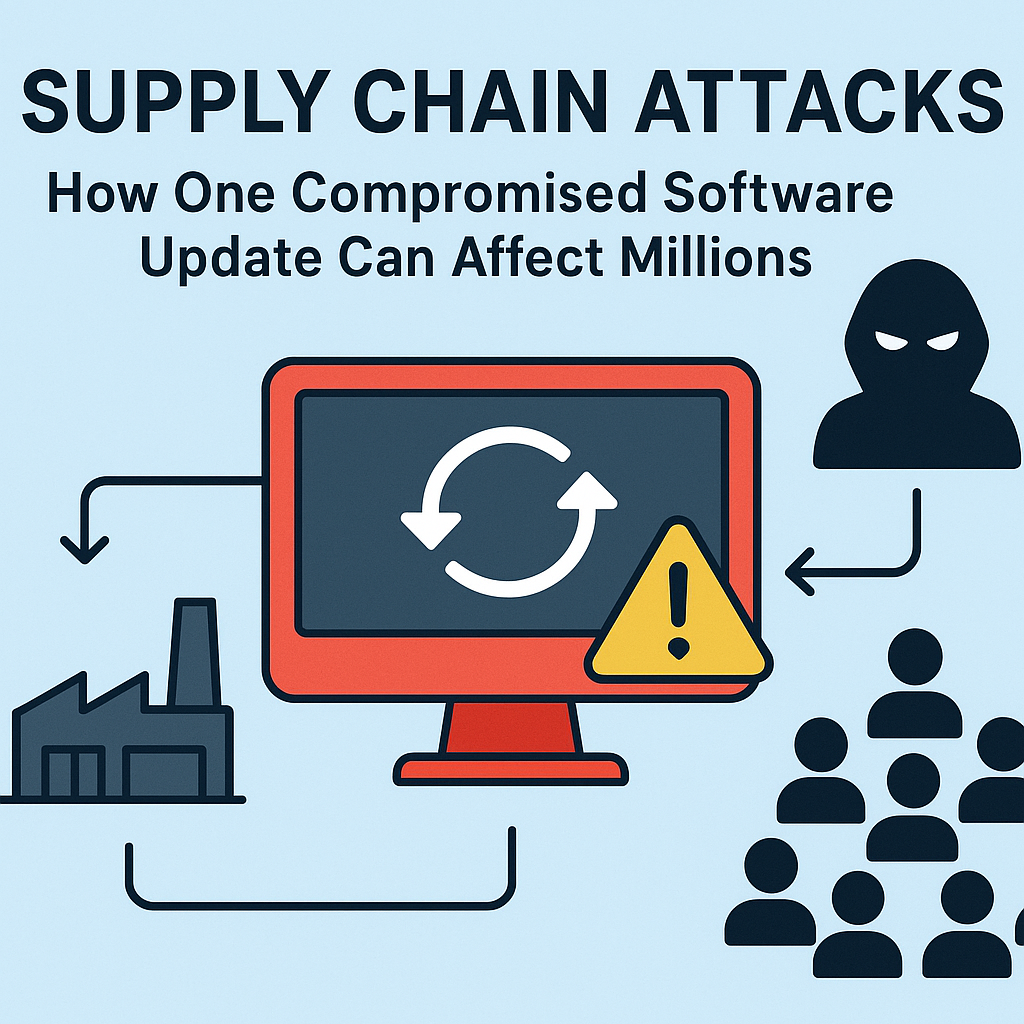
Supply Chain Attacks: How One Compromised Software Update Can Affect Millions
Imagine you installed a routine software update today—something you trust, something signed, something “verified.” Now imagine that same update quietly delivered malicious code to thousands, then millions, of devices. No phishing emails. No brute-force logins. No obvious signs that anything is wrong. Just a single trusted distribution channel being weaponized.This is the reality of supply chain attacks. In these attacks, criminals compromise the systems that businesses and consumers rely on to deliver software—developers, build pipelines, update servers, third-party libraries, and even the software vendors themselves. And because software updates are designed to be fast, seamless, and widely distributed, the blast radius can be massive.In this post, we’ll break down how supply chain attacks work, why software updates are such high-value targets, what makes these incidents so difficult to detect, and what organizations can do to reduce risk. We’ll also cover practical lessons for IT teams, security leaders, developers, and everyday users.
What Is a Supply Chain Attack?
A supply chain attack occurs when an adversary compromises the “upstream” elements that enable products or services to reach end users. Instead of attacking each target directly, attackers infiltrate a component in the delivery chain and then use that compromised component to reach many victims.Supply chains exist in nearly everything: food distribution, shipping logistics, manufacturing, and—of course—software. In software, the supply chain includes:• Code repositories and developer accounts
• Build and CI/CD pipelines (continuous integration/continuous delivery)
• Package managers (like npm, PyPI, Maven, NuGet)
• Signing keys and certificate infrastructure
• Update servers and distribution mechanisms
• Third-party dependencies and vendorsThe key idea is simple: if attackers can control the process that produces or distributes software, they can scale harm dramatically.
Why Software Updates Are a Favorite Target
Software updates are inherently trusted. Users and organizations expect updates to improve stability, fix bugs, and enhance security. Many organizations automate update deployment—sometimes to the entire fleet of endpoints, servers, or mobile devices—based on a vendor’s release.That trust creates a powerful opportunity. If an attacker manages to tamper with an update, they can deliver malware under the guise of legitimate maintenance.There are several reasons compromised updates are so dangerous:1. Wide distribution
One compromised release can reach millions of systems quickly.2. High credibility
Update mechanisms often verify signatures, use established URLs, and follow predictable release channels—features that reduce suspicion.3. Low visibility
Updates usually happen in the background. Many organizations won’t scrutinize each update’s content.4. Long dwell time
Malicious code can remain dormant, activating later to evade detection or coordinate further stages of the attack.5. Automatic privilege
Many updates require elevated permissions or run with access to sensitive data.
How a Single Compromised Update Can Affect Millions
To understand the scale, consider a common workflow: a software vendor builds an application, packages it, signs it, and publishes an update. Customers’ systems then download and install the update—often automatically.Now picture where attackers insert themselves. They might:• Compromise a developer’s account or tooling
• Breach the vendor’s build environment
• Manipulate the build scripts or dependencies
• Steal signing keys to sign malicious packages legitimately
• Modify the update feed or distribution infrastructure
• Poison a widely used third-party libraryOnce the malicious code is included, every downstream consumer who installs the update becomes a victim—often without realizing it until later.The impact can include:• Credential theft (stealing tokens, passwords, API keys)
• Backdoors that enable remote control
• Data exfiltration and ransomware deployment
• Persistence mechanisms (so the malware survives reboots or reinstalls)
• Lateral movement to other systems and networks
• Supply chain “fan-out” (where the compromised software becomes a distribution platform itself)
The Anatomy of a Supply Chain Attack
While every incident differs, many supply chain attacks follow a similar lifecycle:
1) Initial access
Attackers obtain a foothold through phishing, credential stuffing, exploit vulnerabilities, or targeting service providers with weaker controls. Sometimes they compromise an IT admin’s account—giving them access to build systems or update management tools.
2) Expansion and preparation
Next, adversaries explore and escalate privileges. They search for build pipelines, release automation, secrets storage, and signing infrastructure. Often, they also establish a long-term presence to time the malicious release.
3) Manipulation of the build or packaging process
Rather than replacing the whole software, attackers may adjust build scripts, inject code during compilation, alter configuration files, or swap dependencies. This can make the malicious changes harder to notice.
4) Signing and distribution
If signing keys are stolen or the build environment is compromised, the attacker can produce an update that looks authentic. This authenticity is the psychological and technical advantage that helps the malware blend in.
5) Execution on victims’ systems
When end users install the update, the malware executes—sometimes immediately, sometimes later. This is where the scale becomes clear: the same malicious payload runs across many organizations.
6) Covering tracks
Attackers may attempt to erase logs, disable security tooling, or minimize noisy behavior. They may also use stealth techniques like encrypted payloads, delayed activation, or process injection.
Why Detection Is So Hard
Security teams often rely on indicators of compromise (IOCs), known malware signatures, and suspicious network behavior. Supply chain attacks challenge those assumptions.Here’s what makes detection tricky:• The malicious code comes from “trusted” software—so it may not look malicious at first glance.
• The update is signed and distributed through legitimate channels.
• The payload may be small, disguised, or only activated under certain conditions.
• Many systems are updated automatically, reducing opportunities for human review.
• Telemetry can be delayed or incomplete across diverse customer environments.In some cases, the first clue of compromise is a complaint from a victim—or a threat intelligence report—long after the malicious update has already been widely deployed.
The Real-World Impact: Beyond the First Victim
Supply chain attacks aren’t limited to the initial victims. Because software is interconnected, the consequences can ripple outward:• A compromised vendor tool might be used inside many enterprises, spreading malware internally.
• A poisoned library can affect any application that depends on it.
• An infected update agent can become a persistent foothold, enabling follow-on attacks.
• Infected credentials can be reused to access other services, expanding the attacker’s reach.This is why a supply chain attack can become an “ecosystem event,” not just a company incident.
Common Entry Points in the Software Supply Chain
Let’s identify where risks often concentrate:
Developer credentials and contributor access
If attackers compromise a developer account, they can modify code before it reaches release.
CI/CD pipelines
Build systems are high value because they transform code into the final artifacts. If the pipeline is compromised, the attacker can inject malicious changes that appear legitimate.
Package management systems
Dependencies can be manipulated through typosquatting, malicious uploads, or account takeover at package registries.
Signing keys and certificate infrastructure
Code signing helps users trust that software has not been altered. If signing keys are stolen, attackers can produce updates that look authentic.
Update infrastructure
Attackers may tamper with update feeds, distribution servers, or metadata that determines what customers download.
Prevention and Defense: Practical Measures That Work
While supply chain security can sound abstract, the best defenses are operational, measurable, and repeatable. Organizations should treat software delivery like a critical security domain.
1) Secure the build pipeline (and monitor it)
• Use hardened build environments with minimal access.
• Enable integrity checks for build steps and outputs.
• Log build activities and alert on unexpected changes.
• Use separate environments for code review, testing, and release.
2) Protect signing keys with extreme care
• Use hardware security modules (HSMs) or dedicated signing services.
• Apply strict access controls and multi-person approvals for signing.
• Implement key rotation and anomaly detection around signing events.
• Consider limiting signing capabilities so compromised build systems can’t easily sign malicious artifacts.
3) Use dependency governance
• Maintain an inventory of dependencies and versions.
• Verify dependency authenticity and minimize reliance on untrusted sources.
• Use automated tools for vulnerability detection and suspicious package detection.
• Apply “least privilege” for build-time dependencies whenever possible.
4) Implement robust artifact verification
• Use reproducible builds where feasible so outputs can be verified.
• Validate checksums and signatures beyond basic trust.
• Consider multi-signature approval or out-of-band verification for critical packages.
5) Reduce auto-update risk with safe rollout strategies
• Use staged deployments (e.g., canary releases) rather than instant full rollout.
• Set monitoring gates that can halt deployments if suspicious behavior appears.
• Require rollback plans and “kill switches” for emergency stops.
6) Strengthen monitoring and incident response
• Monitor endpoints for behavioral anomalies, not just known signatures.
• Create detection rules for persistence, unusual process behavior, and unexpected network calls.
• Practice supply chain incident response drills—including how to revoke trust and stop distribution quickly.
What Organizations Should Do After a Suspected Compromised Update
If you suspect a vendor update was malicious, speed matters. Consider an organized response:1) Containment: Stop update rollouts and isolate impacted systems.
2) Identify the scope: Determine which versions were installed and which artifacts were used.
3) Forensic analysis: Collect logs and inspect changes during installation/update.
4) Revoke trust: If signing keys or update feeds are compromised, stop relying on them immediately.
5) Eradication: Remove malicious artifacts and validate system integrity.
6) Recovery: Restore from known-good images and enforce security patches.
7) Communication: Notify internal stakeholders and affected users; coordinate with the vendor and security community.During a supply chain incident, clarity and speed are often as important as technical steps.
Advice for Developers and Tech Leaders
Supply chain security is no longer optional. It’s part of modern engineering leadership.Developer and engineering teams can adopt security-by-design habits:• Treat CI/CD changes like production changes—review, test, and audit them.
• Enforce code review policies and restrict who can merge into release branches.
• Use secrets management tools rather than hardcoding credentials.
• Document release processes so anomalies are easier to spot.
• Use security testing (SAST/DAST) and dependency scanning as part of the pipeline.Tech leaders should also prioritize:• Security budgets for tooling and audits.
• Training for developers and admins on supply chain risks.
• Vendor risk assessments for third-party software and services.
• Compliance strategies that reinforce secure release practices.
What Can End Users Do?
Many people assume supply chain attacks are “only for companies,” but consumers are affected too—especially with software auto-updaters, browser extensions, and mobile apps.End users can take simple steps:• Keep auto-updates enabled (yes, generally) but ensure devices are secure and monitored.
• Watch for unexpected behavior after updates—new processes, unusual network activity, or repeated prompts.
• Use reputable software sources and remove unknown extensions.
• Keep antivirus/endpoint protection updated.
• Consider least-privilege on devices (avoid running everything as admin).For most users, the best approach is not fear—it’s good hygiene and awareness of what “trust” really means.
The Big Takeaway: Trust Is a Process, Not a Button
Supply chain attacks succeed because trust is embedded into technology workflows: signed updates, automated deployments, centralized registries, and time-saving release pipelines. When attackers compromise any part of that trust process, the outcome can be devastating at scale.But the good news is that strong defenses exist. By securing build pipelines, protecting signing keys, governing dependencies, verifying artifacts, and deploying updates safely, organizations can drastically reduce the chance that a single compromised update becomes a global incident.In a world where software updates are constant, supply chain security is the difference between “an update went out” and “an update changed everything.”
Frequently Asked Questions
How do attackers compromise a software update?
They typically target upstream components such as build systems, developer accounts, signing keys, update servers, or third-party dependencies. Once they gain control, they inject malicious code into an update package that later looks legitimate to customers.
Is code signing enough to prevent supply chain attacks?
Code signing helps verify that an artifact was signed, but it doesn’t guarantee the code is safe. If attackers steal signing keys or compromise the build environment, they can still sign malicious updates legitimately.
What’s the safest way to deploy updates?
Use staged rollouts (canary deployments), automated monitoring gates, and fast rollback procedures. Combine technical verification (checksums/signatures) with behavioral monitoring on endpoints.
Can supply chain attacks be prevented completely?
No security program can eliminate risk entirely. However, layered defenses dramatically reduce likelihood, shorten detection time, and limit the blast radius if something goes wrong.If you’d like, I can also tailor this post to your website style (more conversational or more technical), add internal linking suggestions, and create a matching meta description and FAQ schema for SEO.